
Catch a Plane Controls
Move with WASD or the thumbstick, jump with Space or the jump button, and steer the camera with the mouse, a drag or the right stick. There is no separate grab key: you catch a plane by jumping into it as it passes, so camera and timing decide every attempt.
Catch a Plane uses Roblox's standard controls plus one interaction that matters more than the rest: the camera. You can learn the whole loop and still miss every plane if the view is pointing at the wrong thing, which is why this page is about inputs and sightlines rather than about strategy.
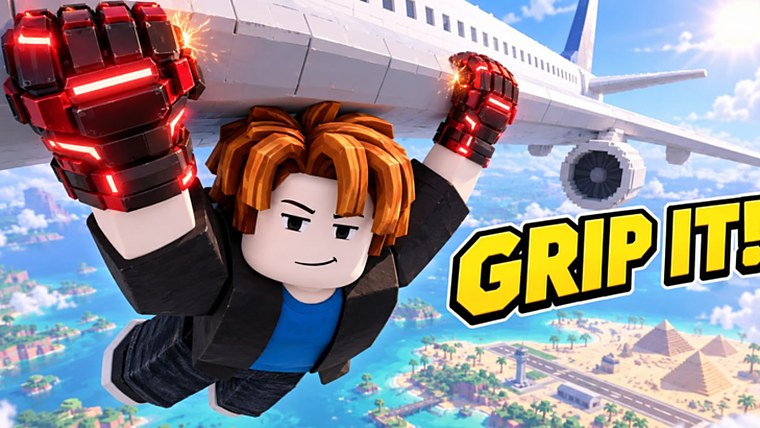
The inputs you actually use
| Action | PC | Mobile | Console |
|---|---|---|---|
| Move | W A S D or arrow keys | On-screen stick | Left stick |
| Jump | Space | Jump button | Face button |
| Camera | Mouse | Drag on screen | Right stick |
| Grab a plane | Jump into it as it passes | Same, with the jump button | Same |
There is no separate grab key to learn: the catch happens at the aircraft body, so the skill is arriving at the right place at the right time rather than pressing something in a menu.
Camera is the real control
Everything in this game is a moving target, and the camera is what tells you where the target is heading.
- Look along the flight line, not at your character. A third-person view centred on your back shows you where you have been, not what is coming.
- Swing the camera before the plane is close. Late camera moves are why players jump at where a plane was.
- On mobile, the drag is the bottleneck. Practise turning the view while standing still; it is the one input that punishes slow hands.
A simple drill: stand on the ground, follow one aircraft from the edge of the screen to the other with the camera only, and do not jump. Three of those and the approach lines start to look readable.
Jump timing, in numbers you can feel
You do not need a frame counter. You need one rule: jump when the plane is one body-length away and coming towards you. If you leave the ground as it arrives, you meet it. If you leave the ground when it is already overhead, you meet nothing.
| What you did | What you see | Fix |
|---|---|---|
| Jumped as the plane passed | Plane moving away, you falling | Jump earlier by a beat |
| Jumped long before | Plane arrives above your arc | Wait, do not double-jump |
| Jumped at the right time but off-line | Plane passes to your side | Move sideways first, then jump |
| Caught it and lost it instantly | Hold ended fast | Strength, not timing |
That last row is the most common misdiagnosis in the game: a catch that ends immediately is a grip problem, and no amount of jumping practice fixes it.
Mobile specifics
Mobile clients run the same game with two constraints: a virtual stick and a camera you have to drag.
- Keep one thumb free for the jump. If you are holding the stick with your thumb, you cannot jump at the exact moment you need.
- Drag the camera with the other thumb while you move, so the plane stays in frame.
- Expect to catch fewer planes per minute than on PC. That is the input, not you.
Console specifics
Controllers are the most comfortable way to hold a line on a plane, because the right stick gives you smooth camera control. The trade is the jump button position: it is on the face of the pad, so your thumb leaves the stick for a beat when you jump.
What to rebind, and what not to
Roblox lets you change some inputs in the client settings, and the general rule for this game is: keep movement on the left hand and camera on the right, and do not move jump somewhere your thumb has to travel.
An input that requires you to look down at the controller is an input that will cost you a plane.
Zoom, and why it changes the game
Roblox lets you pull the camera in and out with the scroll wheel on PC, a pinch on mobile and the stick on console. In Catch a Plane that setting is a difficulty slider in disguise.
- Zoomed out shows more of the approach line. You see planes sooner and get more warning.
- Zoomed in makes the character fill the frame, which feels better and reads worse: a plane arriving from the side enters your view late.
For learning the game, stay zoomed out. Once the approach lines are familiar, pull in for comfort.
The catch window, described without numbers
Players ask for a frame-perfect timing rule and there is not one, because the window depends on how fast the plane is moving and how high your jump takes you. What is stable is the feel:
| Distance at the moment you leave the ground | Result |
|---|---|
| Plane still small, near the horizon | You land before it arrives — wasted jump |
| Plane roughly a body-length away, closing | Clean catch, the one to aim for |
| Plane already overhead | It is behind you before your hands reach it |
| Plane passing at the edge of the screen | You cannot reach it; do not jump |
Two sessions of watching is enough to calibrate that table for your own screen size, because the cue is proportional rather than timed.
The four input mistakes that cost planes
- Jumping with the camera pointed at your feet. You cannot lead a plane you cannot see.
- Double-jumping out of panic. The second jump usually takes you past the fuselage.
- Standing still while the plane crosses. A step sideways puts you on the line; a jump does not.
- Holding the mobile stick with your jump thumb. Split the thumbs: one moves, one jumps and drags.
Comfort settings worth changing once
- Turn off camera shake if it is available in your client: a shaking view makes a moving target harder to read.
- Raise the field of view on PC if you play on a wide monitor; more peripheral vision means earlier warning.
- Lower graphics on mobile — planes arriving in a stutter are planes you miss.
None of these change the game's rules, all of them change how much of the screen you can read.
Practising without playing badly
Three drills, five minutes total:
- Camera track — follow three aircraft with the camera and jump at none of them.
- Lead jump — pick the easiest plane and jump a beat early on purpose, then a beat late, to feel the window.
- Deliberate release — hang on one plane, then let go in the air and aim the fall toward the next approach line.
The third drill is the one that changes runs. Releasing on purpose is not a control problem, but it is the one skill that turns a single catch into a route, and it is covered in How to Play.
Settings that matter
- Graphics: lower settings keep the frame rate steady, and a steady frame rate is what makes a moving target catchable.
- Camera sensitivity: high enough to turn quickly, low enough that a small adjustment stays small. Mobile players usually need it higher than the default.
- Audio: optional, but plane engines are directional cues; if you play with sound, you will hear an approach before you see it.
Where the controls fit the rest of the game
Controls decide whether you can reach a plane; strength and gloves decide what happens after you do. If your problem is "I catch them but drop", this page is the wrong one — go to Strength and Hanging.